
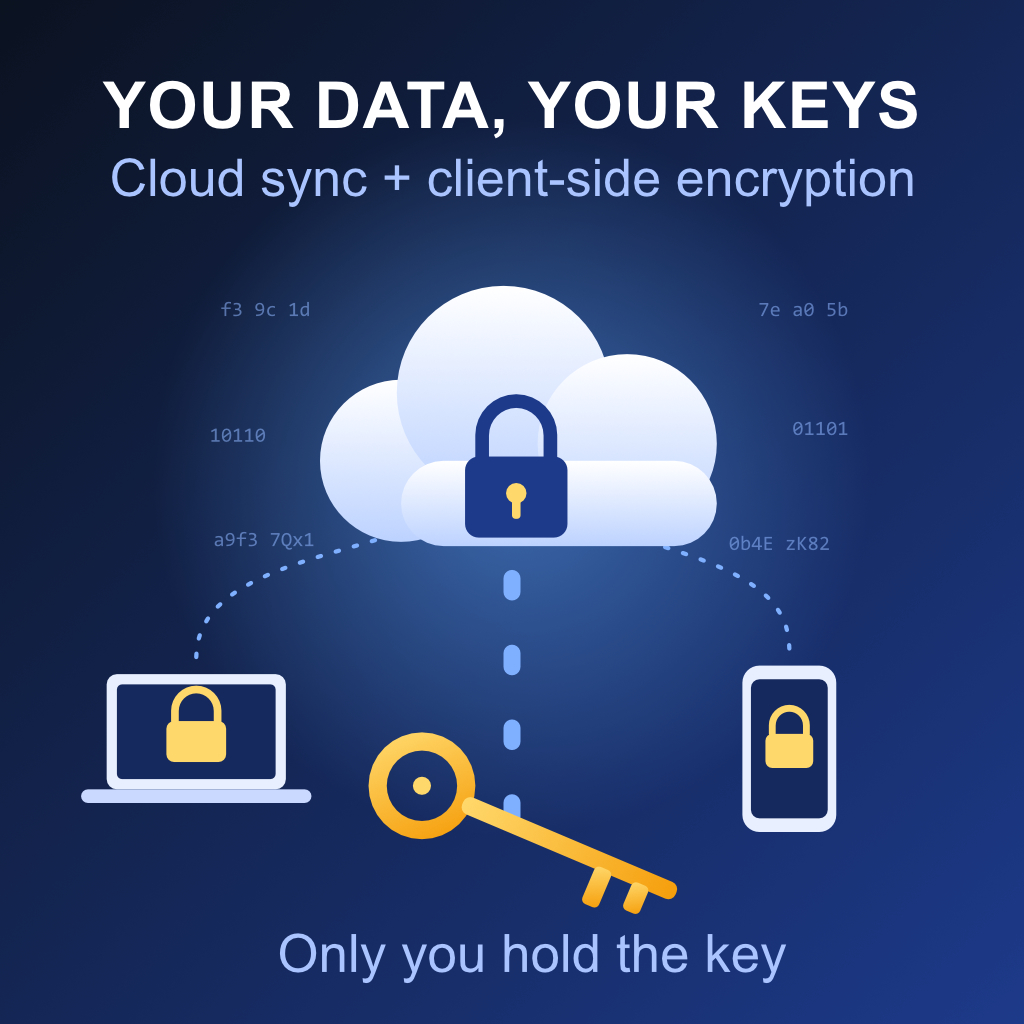
We trust the cloud with more of our lives every year: family photos, tax returns, passwords, medical records, work documents. Cloud storage is convenient, but convenience usually comes with a hidden bargain: you hand your files to a company that can, in principle, read them.
There is a way to keep the convenience and drop the bargain: a sync provider combined with client-side encryption.
What does “client-side encryption” mean?
With most cloud services, your files are encrypted in transit (between your device and the server) and at rest (on the provider’s disks). That sounds reassuring, but the provider typically holds the encryption keys. They can decrypt your data when they choose, when compelled by a legal request, or when an attacker or rogue employee gets access.
With client-side encryption (often called end-to-end or zero-knowledge encryption), your files are encrypted on your device, before they leave it. The provider only ever stores unreadable ciphertext. The keys are derived from a passphrase or secret that only you hold.
Think of it as putting your documents in a locked safe before handing them to a courier. The courier delivers the safe, stores it, and syncs it between your homes, but never has the combination.
Why sync in the cloud at all?
Local-only storage feels safe, but it has real weaknesses:
- Hardware fails. Drives die, laptops get stolen, phones fall in lakes.
- Disasters happen. Fire, flood, or theft can take out both your computer and your backup drive.
- Ransomware spreads. Anything connected to your machine can be encrypted by an attacker.
- Multi-device life is awkward. Most of us use a phone, a laptop, and maybe a tablet. Manually copying files between them is error-prone.
A sync provider solves these problems. Your files are available everywhere, versioned, and stored off-site. Many providers also keep file history, so you can roll back after an accidental deletion or a ransomware incident.
The benefits of combining both
1. Privacy by design. Even if the provider is breached, subpoenaed, or simply curious, your data is useless to anyone without your key. Privacy becomes a matter of mathematics rather than a company’s promise.
2. Reduced trust requirements. You no longer have to evaluate whether a provider’s employees, business model, or jurisdiction are trustworthy. You only need them to store bytes reliably.
3. Protection against breaches. Data breaches are routine. When files are encrypted client-side, a leak of the provider’s servers exposes only ciphertext.
4. Compliance and confidentiality. Freelancers, lawyers, doctors, journalists, and businesses handling personal data have obligations around confidentiality (GDPR, HIPAA, professional secrecy). Client-side encryption is a strong technical safeguard that supports those obligations.
5. Freedom to choose providers. Because the encryption layer is yours, you can sync through almost any storage service, and switch later, without re-evaluating the privacy of each one.
6. Resilience without sacrificing convenience. You keep automatic sync, multi-device access, version history, and off-site backup, with confidentiality intact.
Trade-offs to be honest about
Client-side encryption is not magic, and it shifts some responsibility onto you:
- Lose your key, lose your data. With true zero-knowledge encryption, the provider cannot reset your password or recover your files. Store your recovery key somewhere safe, such as a password manager and a printed copy in a secure place.
- Fewer server-side features. Since the server can’t read your files, features like web previews, full-text search, or server-based collaboration may be limited or handled locally.
- Slight performance overhead. Encryption and decryption happen on your device. On modern hardware this is barely noticeable, though large libraries may sync a little slower on the first run.
- Metadata may still leak. Depending on the tool, file sizes, timestamps, or folder structure might be visible. Good tools encrypt file names and structure too, so check what yours does.
- It doesn’t replace backups. Sync mirrors changes, including mistakes. Keep version history on, and consider an independent backup as well.
How to set it up well
- Pick a trustworthy approach. Use a provider with built-in zero-knowledge encryption, or add an encryption layer on top of a standard storage service using open-source tools such as Cryptomator, rclone’s crypt, or Restic and Borg for backups.
- Favor open standards and audited code. Look for well-known algorithms (AES-256, ChaCha20, Argon2 or scrypt for key derivation) and independent security audits. Avoid proprietary, home-made cryptography.
- Use a strong, unique passphrase. Your encryption is only as strong as the secret protecting it. A long passphrase stored in a reputable password manager is ideal.
- Secure your recovery key. Write it down and keep it offline. Decide in advance who, if anyone, should be able to access it in an emergency.
- Enable two-factor authentication on your cloud account, even though the data is encrypted.
- Follow the 3-2-1 rule. Keep three copies of important data, on two different types of media, with one off-site. Encrypted cloud sync can be your off-site copy.
- Test your restore process. A backup you’ve never restored is a hope, not a plan.
Conclusion
The old choice between convenient but exposed and private but fragile is no longer necessary. Combining a sync provider with client-side encryption gives you the availability, redundancy, and ease of the cloud while ensuring that you, and only you, hold the keys to your digital life.
The cloud becomes what it should have been all along: a reliable place to store your data, not a place that gets to read it.